
Traffic Court Records in Effingham County
Traffic tickets in Effingham County split across two levels. State Court handles county misdemeanors, including DUI and traffic cases. Its docket sits with the Effingham Clerk. Municipal courts in Guyton, Rincon, and Springfield take city traffic and local ordinance matters. No single county municipal docket ties those city files together. So check the citation itself. The agency that issued it tells you where to search first. The court name printed on it does too.
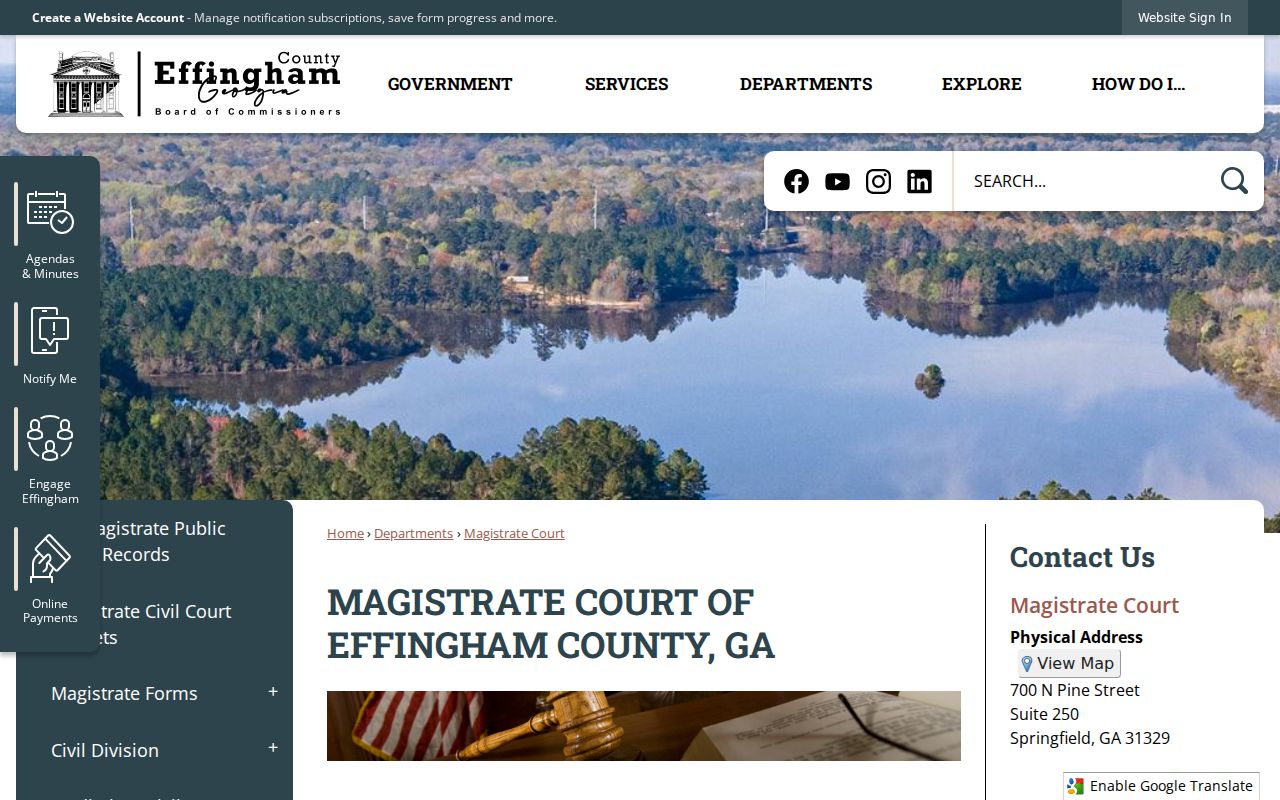
Magistrate Court handles warrants and bail. Its jurisdiction is described on the the official Effingham County Magistrate Court page. The county CM Web Search shows only ST State Court and SU Superior Court codes. A blank result there does not rule out a municipal or Magistrate record.
The county's Magistrate page lays out that separate court route. It sits outside any State Court traffic docket search.
That split saves you time. It keeps a citation search from being repeated in a court index that never held the file.
Effingham Traffic Court Routing
Read the court name before you open any portal. A citation assigned to Effingham County State Court can be checked with the Clerk at 912-754-2118. The directory lists a separate traffic line at 912-754-2163. City tickets follow the city. A Rincon citation starts with Rincon Municipal Court, a Guyton citation with the Guyton Clerk of Court, and a Springfield citation with the Police and Court Clerk. None of the official city sources offer a full public docket-search form, so plan on calling or visiting.
| County State Court | Effingham Clerk; start with the citation, traffic line, and State Court channels. |
|---|---|
| Rincon municipal | Rincon Municipal Court; start with the city court page, citation, and clerk contact. |
| Guyton municipal | Guyton Clerk of Court; use the city clerk page, citation, and city-linked payment route. |
| Springfield municipal | Police and Court Clerk; use the city office contact and citation. |
A city payment screen proves you can submit funds. It is not the docket history. When a city posts no public index, ask the city clerk for the court record or the setting.
How to Look Up a Traffic Ticket
For a State Court ticket, begin with the citation itself. The Clerk links to the Five Point Payments portal for Effingham County State Court. That form searches a payment account. Use a Citation Number or a Driver's License Number. Remember it is a payment interface. It is not the public CM Web Search docket. Enter a real license number only on the authorized transaction screen, and only for your own matter.
- Confirm that the citation names Effingham County State Court rather than a city court.
- Read the citation number, appearance terms, and court date from the ticket.
- Use the Clerk-linked payment portal only to locate an eligible payment account.
- Use CM Web Search or call the Clerk when the goal is the State Court docket or proceeding history.
- Contact the named city clerk when the ticket belongs to Guyton, Rincon, or Springfield.
| Field label | Control | Required | Use |
|---|---|---|---|
| Citation # | Search input | One search choice | Find the payment account tied to a citation |
| Driver's License # | Alternative input | One search choice | Alternative payment lookup; do not publish |
| Selected ticket | Result choice | For payment | Identifies the ticket being paid |
| Payment amount | Transaction field | For payment | Full or partial choice if the portal permits it |
Effingham Traffic Payment Records
The Effingham County State Court payment portal collects transaction details. These include name, address, selected ticket, amount, payment method, billing contact, and an acknowledgment. Its receipt may list a transaction ID and date. It may also show a masked payment method, fee, total, and delivery options. Those fields document a payment, plain and simple. They do not supply the case's complete filings, settings, or final order. The official portal view shows the payment function assigned to Effingham County traffic matters.
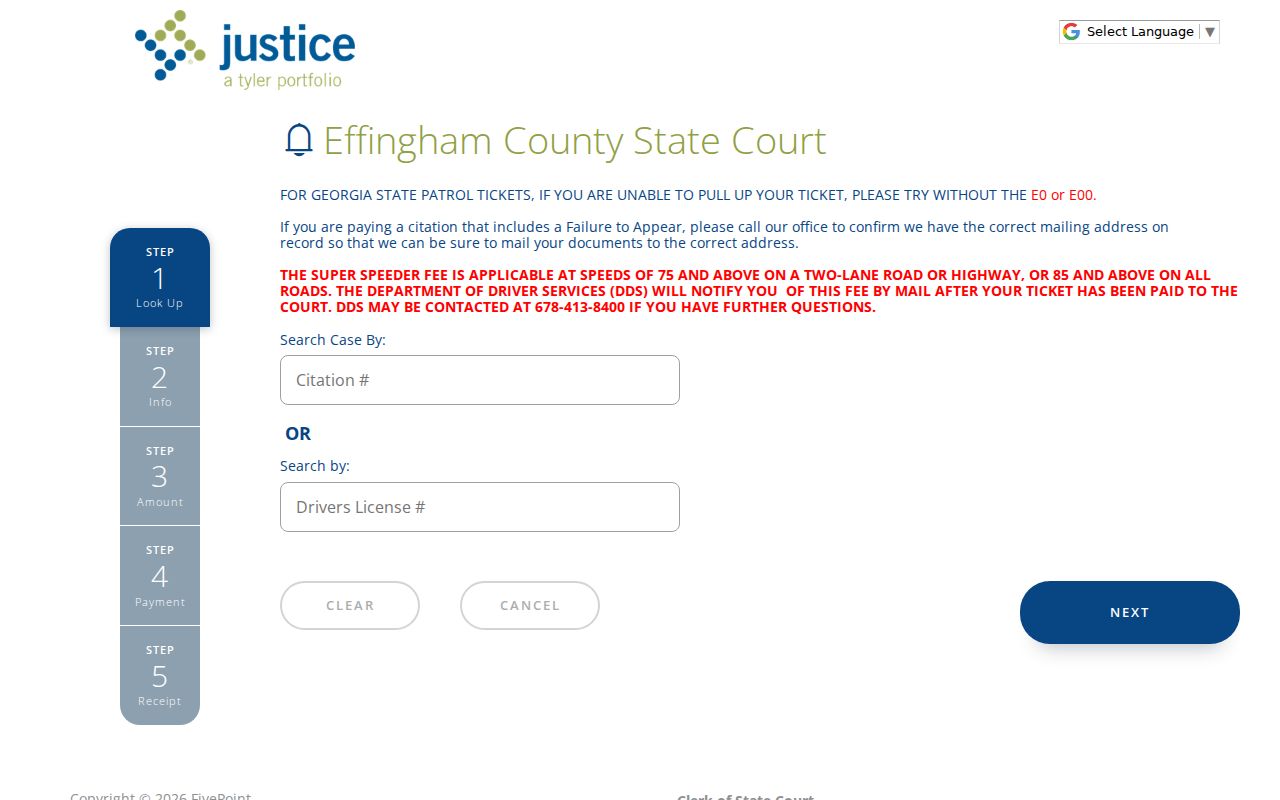
This is why a payment result needs checking. Match it against the Clerk's court record when you need a proceeding or disposition.
Finding Your Traffic Court Date
The citation is the primary source for an Effingham County traffic court date. Lost ticket? Unclear date? The State Court FAQ tells you to call the Clerk at 912-754-2118. The directory's separate traffic number is 912-754-2163. Administrative State Court criminal scheduling can also involve the criminal assistant. Reach that desk at 912-754-2117. Still, the Clerk should route a ticket question to the right desk.
| Court | The State Court or municipal court printed on the citation. |
|---|---|
| Citation number | The local identifier printed on the ticket; no universal Effingham County format was published. |
| Date and time | The appearance information on the citation, subject to court confirmation. |
| Appearance terms | Whether the ticket states that court attendance is required. |
| Location | The court or hearing place identified by the citation or clerk. |
| Reset status | A changed setting confirmed by the court, not assumed from a missing calendar entry. |
The Clerk's Google Calendar can offer court-calendar context. A generic display is not authority to skip a setting. A continuance or cancellation requires prior judicial approval under State Court procedure.
Effingham Traffic Citation Recovery
Call the Effingham Clerk when a State Court citation goes missing. Give the issuing agency, the approximate issue date, and non-sensitive identifying details. A Georgia State Patrol ticket may elude Five Point. For that, the portal advises trying the citation without the initial E0 or E00. That tip applies to the payment search only. A failure-to-appear flag changes things. The payment portal tells users to call the office. Users should confirm the mailing address. Never assume an online payment alone clears a separate court status. Ask the Clerk whether a setting, disposition, or other action remains.
Keep the payment lookup and docket inquiry separate: one finds a payable item, while the other confirms the court proceeding.
Paying or Contesting a Ticket
The citation's own instructions and the issuing court control what responses are available. The State Court FAQ says fines are paid through the Clerk. Speed-reduction questions go to the Solicitor. Court approval is still required. Pretrial diversion may be available. That depends on the Solicitor's discretion. None of those general statements guarantees a result in any specific Effingham County matter.
| Point | Payment route | Court route |
|---|---|---|
| Starting document | Citation and eligible payment account | Citation and court instructions |
| Main contact | Clerk or authorized city payment channel | Clerk or issuing municipal court |
| Record produced | Transaction receipt | Docket entries, settings, and court disposition |
| Key check | Confirm whether appearance is still required | Confirm plea, hearing, and filing procedure with the court |
Paying and asking the court to hear the matter are not the same step. Court staff can explain process and routing. They cannot tell you what plea to enter or what legal choice to make.
Missing a required Effingham County setting can lead to further court action. Contact the issuing court at once rather than relying on a portal status.
Effingham Traffic Schedule Gaps
Rincon's Municipal Court page lists sessions for the second and fourth Thursday. Exceptions come late in the year. The city's court page and its FAQ give conflicting session times. Trust your citation or the clerk's own confirmation. One more Rincon rule matters. Accident citations require an appearance, and skipping a required appearance brings consequences.
Guyton is clearer. The Guyton Clerk of Court holds city court on the first Wednesday of each month at 3 p.m. in the Guyton Gymnasium, 505 Magnolia Street. Springfield's 2026 notices point to a generally monthly session. They give no dependable standing public time. Schedules shift, so a generic calendar never proves your individual court date. Check the citation or call the clerk.
Court Traffic Record vs Driver Record
An Effingham County court traffic record and a Georgia driver record are two different files. The State Court or municipal clerk holds the court file. That docket can show the citation identifier, the court setting, proceeding entries, and any payment or filing activity in the clerk's system. It also holds the court's disposition. The Georgia Department of Driver Services keeps the state driver file. It receives reportable court outcomes under the rules governing that agency.
A payment receipt is neither complete file. A blank county portal result is not an answer. It tells you nothing about what a municipal clerk or the state agency holds. Need a court date, filed order, or certified citation disposition? Ask the court clerk. Need the state file? Use the Department of Driver Services' own authorized process. The whole distinction comes down to custody and record scope.
| Court traffic file | Kept by the issuing court or clerk; focuses on the citation case and proceedings. |
|---|---|
| State driver file | Kept by Georgia's licensing agency; separate from the local case docket. |
| Payment receipt | Kept as transaction proof; does not replace the filed disposition. |
Effingham Traffic Assessment Boundary
Georgia's Super Speeder assessment is separate from the fine you pay the court. The Effingham State Court FAQ explains this. The Department of Driver Services handles that state assessment on its own. So a Clerk payment screen may show the court transaction. It may say nothing about the state agency's process.
The same two-custodian rule applies. Questions about the citation case belong to Effingham County State Court and the Clerk. So do questions about its court date or disposition. Questions about the separate state assessment go to the agency the official State Court FAQ names.
Effingham Traffic Records Without Portals
Guyton, Rincon, and Springfield offer no official public municipal citation-search form. Their pages give payment or contact routes instead. The payment screen may find no match. Contact the city clerk then. Bring the citation number, the issuing agency, and the approximate date. Ask for three separate facts. Get the court date, the case status, and any available public copy.
Never route a city ticket through the county ST or SU search unless the citation or clerk confirms the matter moved to State or Superior Court. Jurisdiction, not convenience, controls the record source.
Fees and Copies
Ask the court that holds the traffic file for its current plain-copy and certification price. CM Web Search images carry no published fee. The Five Point screen posts no service-fee amount. An official Effingham County Magistrate schedule took effect in July 2024, but those categories are no guarantee of a State Court or municipal price. Get the figure from the office holding the docket.
| Document or charge | Researched amount | Important limit |
|---|---|---|
| Magistrate photocopy | $0.25 | Official July 2024 Magistrate schedule |
| Magistrate certified copy | $2.50 | Confirm applicability and current amount |
| Magistrate certified under seal | $10 | Not a quoted State Court traffic fee |
| Magistrate exemplified judgment | $5 | Not a quoted municipal traffic fee |
| Five Point service fee | Not located | Review the live transaction before payment |
Name the court, the citation or case number, the approximate year, the document you want, and whether you need certification. Ask for a quote before ordering. The Effingham County court-records route explains the difference between an index, an image, and a certified copy.
Accessing Effingham Traffic Files
State Court traffic access can start online. Use the Clerk-linked payment system or the State and Superior CM index, depending on the task. Phone access runs through the main Clerk number or the traffic line. In person, go to the proper office. That office sits at the Judicial Complex, 700 N Pine Street in Springfield. Confirm office hours first, since county and clerk pages publish different service windows.
A written request should name Effingham County State Court or the specific municipal court. It should include the citation identifier and approximate year. State the document sought. Ask for plain or certified format. No single mail, fax, email, drop-box, or public-terminal protocol applies across the board. Call before sending anything. GovQA covers county agency records and expressly routes court filings back to the Clerk.
Juvenile traffic matters involving people under 17 follow the Juvenile Court route. They carry confidentiality limits. Federal traffic matters also sit outside the county systems. Each gap points to the actual custodian, not a broader search with a similar name.